AppLixir Is Now on Claude: Add Rewarded Video Ad with 1 Prompt
AppLixir is now available as a plugin in the Claude plugin directory. If you build HTML5, WebGL or Unity Web games, you can ask Claude to add rewarded video ads to your game, wire up server-side reward verification, and test the whole flow, without leaving your editor.
The plugin is listed for Claude Code, Cowork and the Claude apps. Search for “AppLixir” in the directory, install it, and Claude gets the context it needs to integrate our platform the right way: where the ad call goes, how rewards should be granted, and how to keep the player experience clean.
We beleive web games deserved the same monetization quality that mobile games had. Today the platform serves more than 800 million monthly sessions across 31+ demand partners, including Google AdX, Meta Audience Network and Xandr. Our promise has always been a fast integration. Most publishers go live in about 24 hours.
The Claude plugin pushes that further. For a lot of games, the integration now starts with a single sentence typed into a chat.
This post covers why web rewarded video has been harder than it should be, what the plugin actually does, a step-by-step walkthrough, and how to get the most out of it.
Why web rewarded video has been harder than it should be
Rewarded video is the most player-friendly ad format there is. The player chooses to watch, gets something they want, and keeps playing. On mobile, this works well. On the web, developers have run into the same problems again and again.
Most ad SDKs are mobile ports. They were built for iOS and Android and later adapted for the browser. Web developers inherit assumptions that don’t fit: native lifecycle hooks, app-store identifiers, and documentation written for Xcode and Android Studio. Getting them to behave inside a canvas game or a Unity WebGL build takes trial and error.
The reward logic is easy to get wrong. The simplest version of rewarded video grants the reward in the browser when the ad finishes. That works until someone opens the developer console and calls the reward function directly. For a game with an in-game economy, client-only rewards are an open door.
Compliance is a project of its own. If you have players in the EU or UK, you need a consent flow that meets TCF and GDPR requirements before ads can serve properly. Many small studios don’t have a team to build and maintain that.
Integration time competes with game time. Every hour spent reading ad documentation is an hour not spent on the game. For indie studios, that tradeoff often means monetization gets pushed to “later”, and later never comes.
None of these problems are hard individually. Together, they explain why so many good web games are under-monetized.
What the AppLixir plugin does
The plugin gives Claude working knowledge of the AppLixir platform, so it can do the integration with you instead of pointing you to documentation. In practice, that covers four jobs.
- Placing the ad call. Claude reads your game’s code, finds natural reward moments (a revive screen, a bonus at the end of a level, a daily gift), and adds the rewarded video call where it fits your game loop.
- Handling every outcome. A rewarded ad can finish, be skipped, fail to load, or be blocked. Claude writes handling for each case, so your game never freezes on a black screen or grants a reward it shouldn’t.
- Setting up server-side reward verification. For games with an economy, Claude helps you add a server endpoint that confirms a completed view before the reward is granted.
- Fitting your engine. The plugin covers plain HTML5 and JavaScript games, WebGL games, and Unity Web builds, including the bridge between Unity C# code and the browser.
Because Claude is working inside your actual project, the result isn’t a generic code sample. It’s code that matches your file structure, naming and style, and you can review every change before you accept it.
The plugin doesn’t replace your judgment. You decide where ads go and what they reward. It removes the tedious part: reading docs, writing boilerplate, and debugging edge cases.
Walkthrough: from install to your first rewarded ad
Here is what a typical integration looks like with Claude Code. The same flow works in Cowork and the Claude apps.
- Create your AppLixir account. Sign up at applixir.com and add your game. You’ll get the account details your integration needs. This is the one step Claude can’t do for you.
- Install the plugin. Open the Claude plugin directory, search for “AppLixir”, and install it.
- Open your game project. Start Claude Code in your game’s folder so Claude can see your code.
- Describe what you want. Plain language works best. For example:
- “Add an AppLixir rewarded video that lets players revive once per run after they die.”
- “Give players 50 coins for watching a rewarded ad from the shop screen. Verify the reward on our Node server.”
- “This is a Unity WebGL build. Add a rewarded ad button to the level-complete screen that doubles the level reward.”
- Review the changes. Claude explains what it’s adding and where. Read the diff, ask questions, and ask for changes. For example: “Move the button below the score” or “Don’t show the offer if the ad isn’t ready.”
- Test it. Run the game locally and trigger the reward moment. Ask Claude to help you test the edge cases too: no ad available, the player closes the ad early, or an ad blocker is on.
- Go live. Deploy as you normally would. Your AppLixir dashboard will start showing impressions, fill and revenue.
A tip from our own testing: tell Claude what kind of game you have and what your economy looks like. “A casual puzzle game with coins and hints” gives Claude much better context than “my game”. It will choose better reward moments and sensible limits, like capping rewarded views per session.
Server-side reward verification, and why it matters
If your game has anything players value (currency, lives, items, progress), rewards should be confirmed on a server, not only in the browser. This is the part of rewarded video that developers skip most often, and the part the plugin makes easiest to add.
With client-only rewards, the browser decides that an ad was watched and grants the reward. Anyone who can open the browser’s developer tools can skip the ad and call the reward directly. In a single-player game, that may not matter much. In a game with leaderboards, trading or paid currency, it quietly damages your economy and your ad revenue.
Server-side verification changes who decides. The flow looks like this:
- The player chooses to watch a rewarded ad.
- The ad plays to completion.
- AppLixir confirms the completed view to your game server.
- Your server checks that confirmation and grants the reward to the player’s account.
- The game updates the player’s balance from the server.
The player sees no difference. Your economy is protected, and advertisers know that rewarded views on your game are real. That matters for the prices they’re willing to pay.
Writing this by hand means reading docs, setting up an endpoint, handling retries and duplicate confirmations, and testing all of it. With the plugin, you can ask Claude to do it in the language your backend already uses, then review the result like any other pull request.
Compliance and transparency come built in
A faster integration only helps if what you ship is sound. Two things come with AppLixir by default, and the plugin keeps them in place.
Consent for EU and UK players. AppLixir includes TCF 2.3 and GDPR compliance, so players in regulated regions see a proper consent flow before personalized ads serve. You don’t need to build or maintain a consent system yourself. When Claude integrates AppLixir, it uses this built-in flow instead of inventing its own.
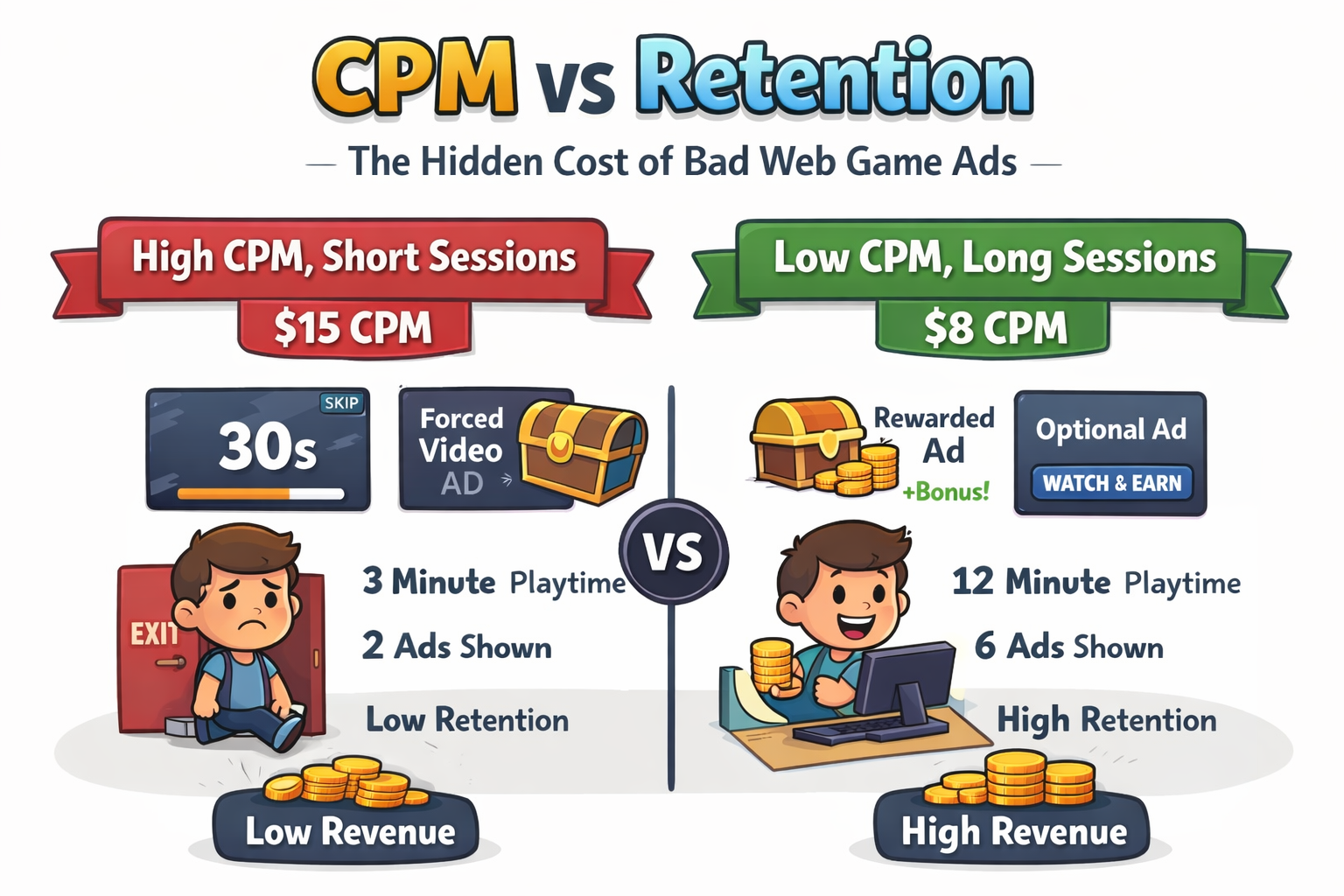
A supply path advertisers can check. Premium advertisers want to know exactly where their ads run and who sells them. AppLixir publishes a sellers.json file and supports the industry standards that let buyers trace an impression back to your game. This is part of why rewarded inventory on AppLixir earns strong prices. Web publishers on our platform typically see CPMs in the $8–15 range, depending on audience, region and season.
This matters for the plugin because AI-written code can drift. A quick integration might skip consent or wire rewards in a way that looks fine but breaks an advertiser’s assumptions. The plugin gives Claude the right defaults, so the fast path and the correct path are the same path.
AppLixir is also additive. It works alongside the ad partners and platforms you already use. You don’t have to rip anything out to add rewarded video.
Who it’s for, and how to get the most from it
The plugin is useful at any size, but it helps different teams in different ways.
- Indie developers get monetization without a detour. If you’ve been meaning to add ads “after launch”, this is a way to do it in an afternoon.
- Studios with a web version of a mobile game can match the rewarded experience players already know from mobile, using web-native code instead of a port.
- Teams with an economy to protect get server-side verification without writing it from scratch.
- Platforms and portals that host many games can use Claude to apply the same integration pattern across titles consistently.
A few tips will help you get better results:
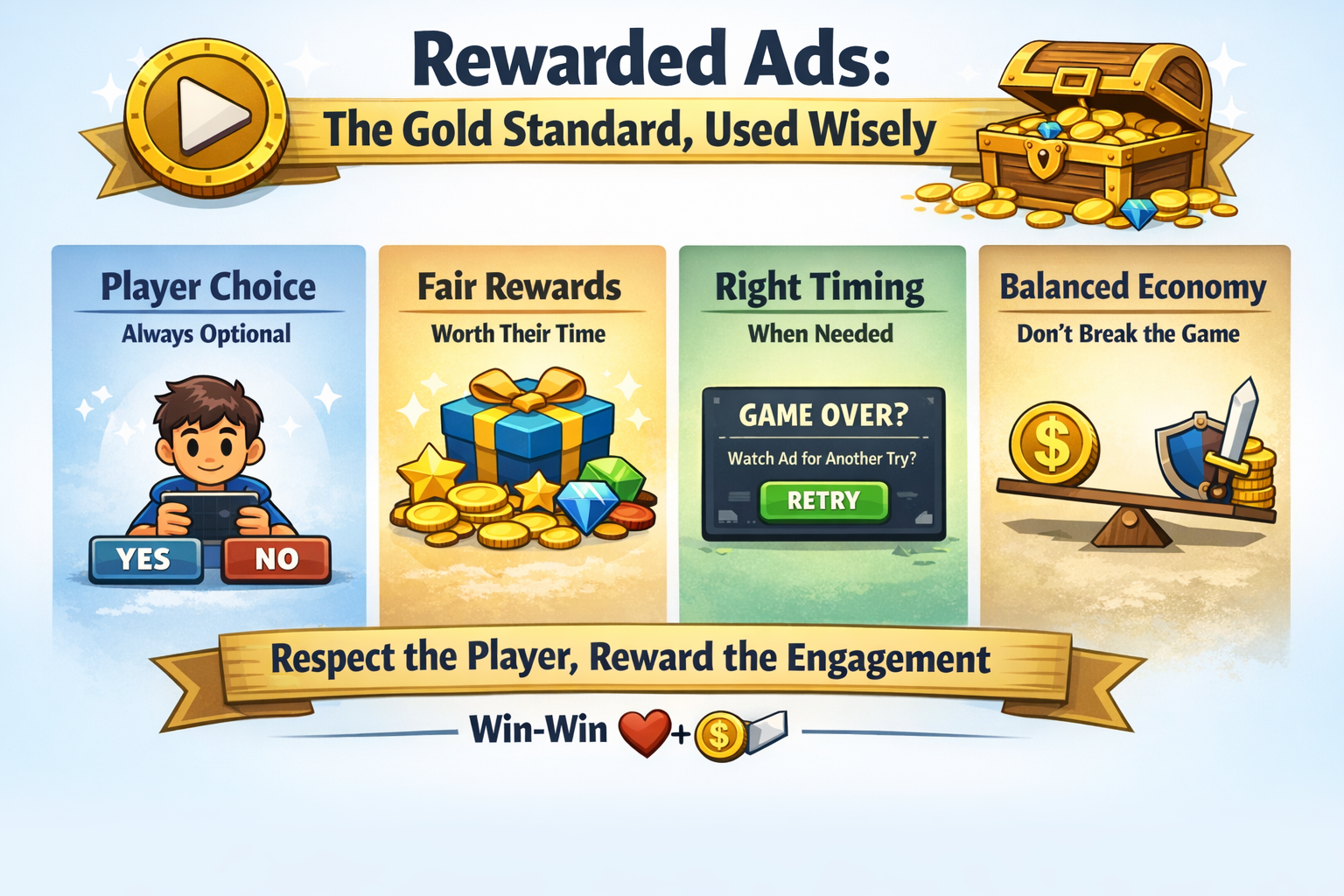
- Reward choices, not interruptions. Rewarded video works because players opt in. Offer it at moments where players want more: a second chance, a bonus or a shortcut. Don’t force it between levels.
- Make the reward worth it. Players notice when a reward is stingy. A good offer gets more views, and opt-in rate drives revenue as much as CPM does.
- Set limits. Ask Claude to cap rewarded views per session or per day so the economy stays balanced.
- Hide the offer when no ad is ready. A button that leads nowhere is worse than no button. Claude can check ad availability before showing the offer.
- Watch your dashboard for the first week. Look at opt-in rate, completion rate and fill. If opt-ins are low, try a better reward or a better moment before anything else.
Get started
You can try the AppLixir plugin today. Here’s how to begin:
- Create a free publisher account at com and add your game.
- Install the AppLixir plugin from the Claude plugin directory.
- Open your project and tell Claude where you want your first rewarded ad.
If you’d rather work with a person, or you’re running a larger title that needs custom setup, our team is happy to help. Reach out through applixir.com and we’ll work through the integration with you.
We started AppLixir because we believed web games deserved first-class monetization. Plugins like this one bring that a step closer: less time on ad plumbing, more time making games players love.
We’d love to hear what you build. If you try the plugin, tell us what worked, what didn’t, and what you’d like Claude to do next. Your feedback goes straight into the next version.